File Out Operator
The File Out operator takes an input DAT (typically containing conversation data) and saves it to a file. It offers several options for controlling the filename, format (DAT, JSON, CSV, TXT, TSV), save location, automatic saving, versioning, and folder organization.
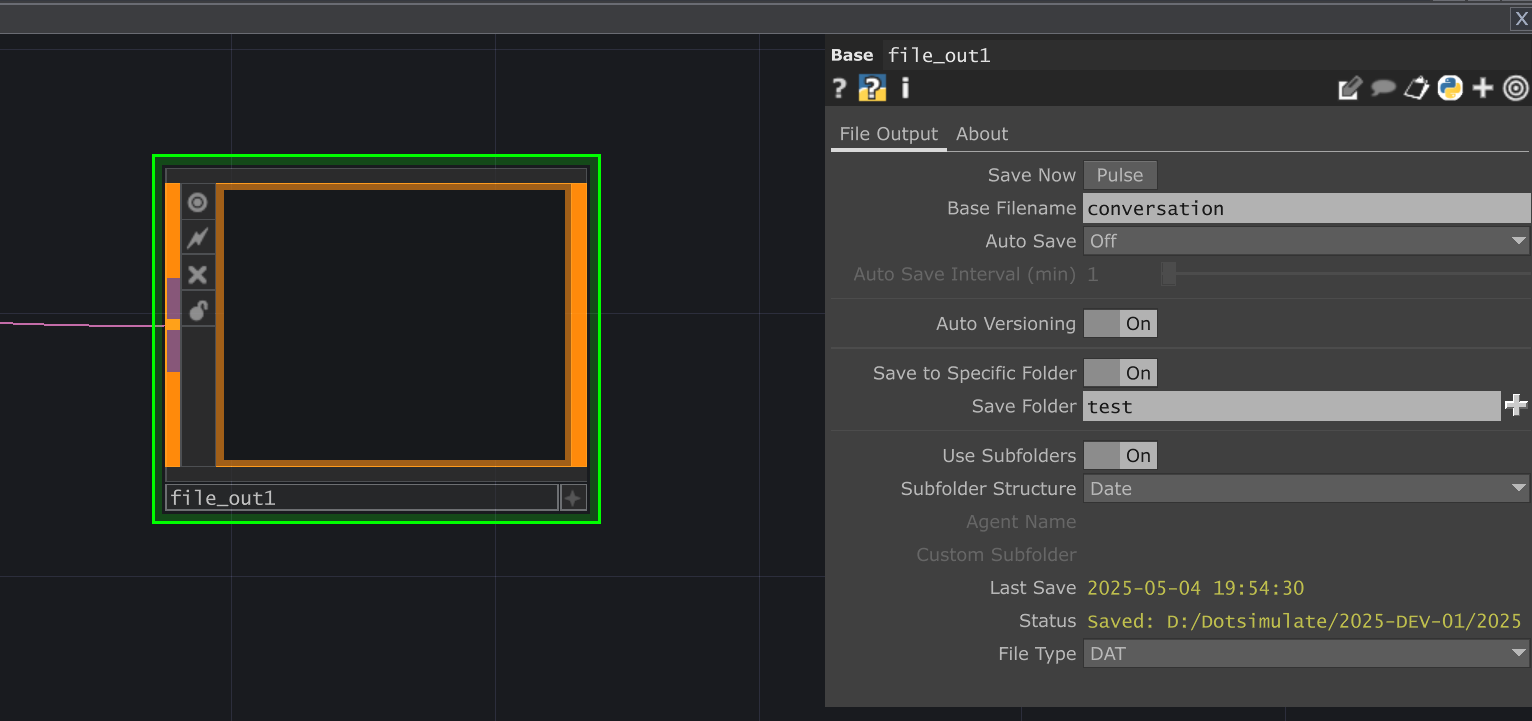 Placeholder - Add UI Image
Parameters
Section titled “Parameters”File Output Page
Section titled “File Output Page” Save Now (Savepulse)
op('file_out').par.Savepulse Pulse - Default:
None
Base Filename (Filename)
op('file_out').par.Filename Str - Default:
None
Auto Save Interval (min) (Autosaveinterval)
op('file_out').par.Autosaveinterval Float - Default:
None
Auto Versioning (Autoversion)
op('file_out').par.Autoversion Toggle - Default:
false
Save to Specific Folder (Savetofolder)
op('file_out').par.Savetofolder Toggle - Default:
false
Save Folder (Savefolder)
op('file_out').par.Savefolder Folder - Default:
None
Use Subfolders (Usesubfolders)
op('file_out').par.Usesubfolders Toggle - Default:
false
Agent Name (Agentname)
op('file_out').par.Agentname Str - Default:
None
Custom Subfolder (Customsubfolder)
op('file_out').par.Customsubfolder Str - Default:
None
Last Save (Lastautosave)
op('file_out').par.Lastautosave Str - Default:
None
Status (Outputdisplay)
op('file_out').par.Outputdisplay Str - Default:
None
Spacer Header
About Page
Section titled “About Page” Bypass (Bypass)
op('file_out').par.Bypass Toggle - Default:
false
Show Built-in Parameters (Showbuiltin)
op('file_out').par.Showbuiltin Toggle - Default:
false
Version (Version)
op('file_out').par.Version Str - Default:
None
Last Updated (Lastupdated)
op('file_out').par.Lastupdated Str - Default:
None
Creator (Creator)
op('file_out').par.Creator Str - Default:
None
Helper Popups (Popups)
op('file_out').par.Popups Toggle - Default:
true
Website (Website)
op('file_out').par.Website Str - Default:
None
Log Settings [ out4 ] Header
Clear Log (Clearlog)
op('file_out').par.Clearlog Pulse - Default:
None
Convert To Text (Converttotext)
op('file_out').par.Converttotext Toggle - Default:
false
Reverse Output (Reverse)
op('file_out').par.Reverse Toggle - Default:
false
ChatTD Operator (Chattd)
op('file_out').par.Chattd OP - Default:
None
Usage Examples
Section titled “Usage Examples”Simple Conversation Log Saving
Section titled “Simple Conversation Log Saving”- Connect a DAT containing your conversation history (e.g., from a
ChatorChat Sessionoperator) to the input of theFile OutOP. - On the
File Outputpage, set theSave Folderto your desired location. - Ensure
Auto VersioningisOnto prevent overwriting files. - Choose a
File Type(e.g.,JSONorDAT). - Pulse
Save Nowto save the current conversation manually.
Automatic Daily Saving
Section titled “Automatic Daily Saving”- Connect your conversation DAT input.
- Set
Save Folder. - Set
Auto SavetoEvery N Minutes. - Set
Auto Save Intervalto1440(minutes in a day) or a shorter interval like60(hourly) if needed. - Ensure
Auto VersioningisOn. - Set
Use SubfolderstoOnandSubfolder StructuretoDate. - The operator will now automatically save the conversation to a dated subfolder at the specified interval.